How to Improve 3D Printing Quality and Avoid Common Printing Problems

Learn how to improve 3D printing quality by fixing common printing problems, choosing suitable filament, adjusting slicer settings, and maintaining your printer with compatible Flashforge products.
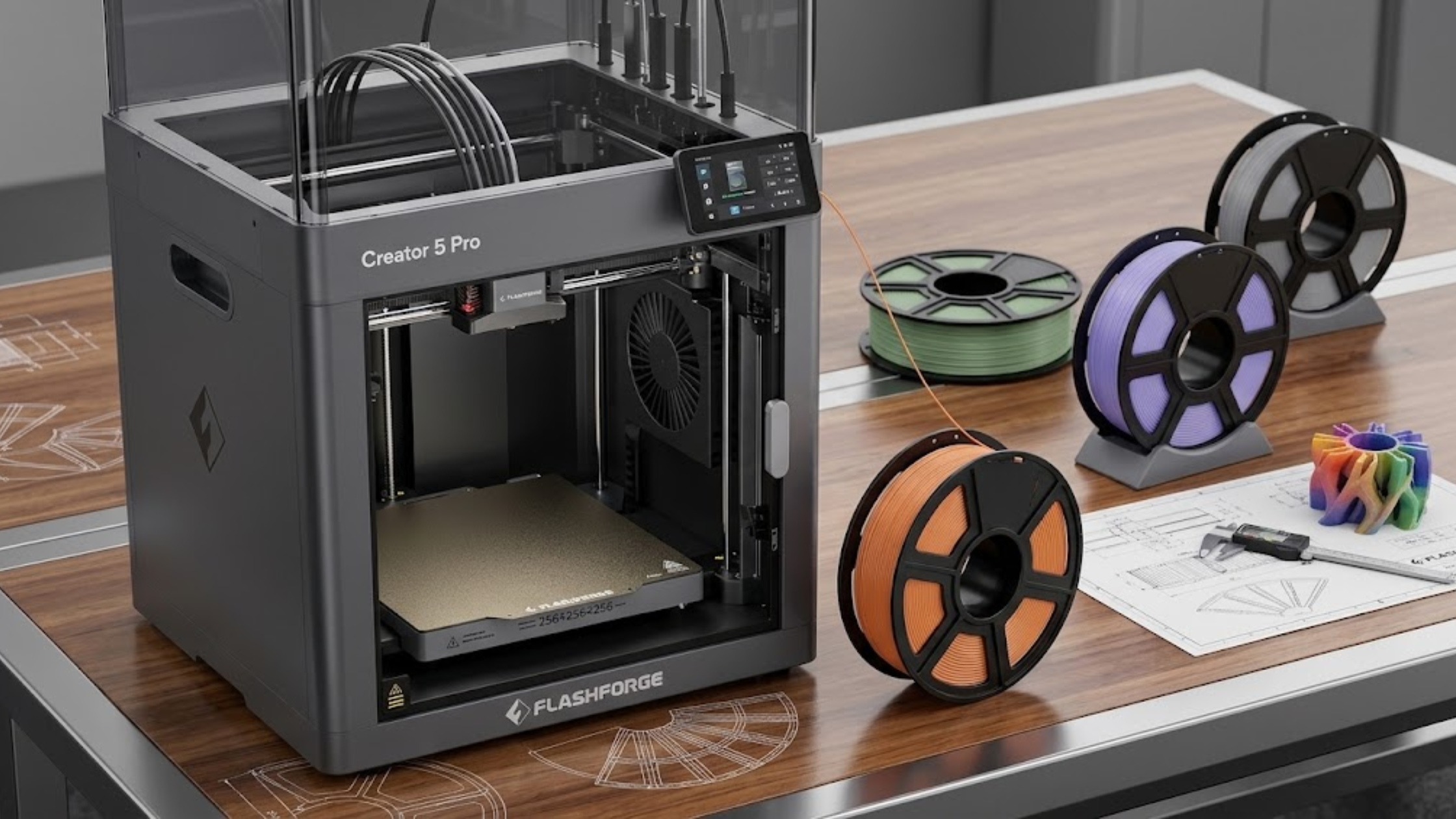
A 3D printer transforms creative ideas into useful products, prototypes, and detailed models. However, poor print quality can quickly turn exciting projects into frustrating experiences. You might notice warped corners, rough surfaces, weak layers, or unfinished prints. Fortunately, you can solve many common printing problems with suitable materials, proper settings, and regular maintenance. Moreover, you can improve results without investing in expensive upgrades. Instead, understand your printer, choose suitable filament, and follow consistent printing practices. Whether you are a beginner or an experienced maker, Flashforge 3D Printers offer options worth exploring. They can support your pursuit of reliable performance and consistent results. Additionally, compatible materials and accessories can streamline your workflow and reduce troubleshooting time.
Identify the Most Common 3D Printing Problems
Before changing your equipment, identify the symptoms affecting your prints. Different problems often require different solutions.
Poor First-Layer Adhesion
A print may detach from the build plate during printing. Alternatively, the first layer may look uneven or fail to adhere properly. This problem often results from a dirty build surface, incorrect nozzle height, or unsuitable bed temperature. Therefore, check these factors before adjusting other settings.
Warping and Cracked Layers
Warping occurs when printed material contracts unevenly as it cools. Consequently, corners may lift from the build plate, especially with temperature-sensitive materials. Additionally, layer separation occurs when adjacent layers fail to bond properly. Incorrect temperatures, excessive cooling, and environmental conditions can also cause this issue.
Stringing and Rough Surfaces
Thin plastic strands sometimes form between separate sections of a model. Meanwhile, rough surfaces can make finished prints look less professional. Incorrect retraction settings, moist filament, and unsuitable printing temperatures can cause these imperfections. Fortunately, careful testing helps you identify the main cause.
Clogged Nozzles and Inconsistent Extrusion
A partially blocked nozzle can disrupt material flow. Consequently, you may notice missing layers, thin walls, or unexpected gaps in finished models. Additionally, filament contamination, excessive heat, and incompatible materials can cause extrusion problems. Therefore, perform regular maintenance to prevent many of these issues.
Understand What Causes Inconsistent Printing Results
Successful 3D printing requires several factors to work together. Your printer, filament, software settings, and surrounding environment all influence the final result. For example, a capable printer can produce poor models when nozzle temperatures mismatch the material. Similarly, moisture can affect filament properties and cause inconsistent performance. Additionally, mechanical problems can reduce print accuracy. Loose belts, an unstable frame, or an incorrectly levelled build plate can cause visible defects. Furthermore, excessive printing speeds can reduce detail and weaken layer bonding. Although faster settings save time, they may require adjustments to temperature, cooling, and extrusion. Therefore, understanding these causes helps you troubleshoot systematically. Instead of changing several settings simultaneously, identify and address each problem individually.
Practical Ways to Improve Your 3D Prints
You can improve print consistency by following a repeatable preparation and troubleshooting process.
1. Calibrate Your Printer Before Printing
First, check the build plate and nozzle position. Ensure the first layer maintains the correct height and consistent contact with the printing surface. Next, verify the printer’s temperature settings and extrusion performance. Additionally, follow the manufacturer’s calibration instructions after replacing components or changing materials. Finally, inspect belts, screws, and moving parts regularly. Proper maintenance preserves dimensional accuracy and helps prevent unexpected printing failures.
2. Choose Filament That Matches Your Project
Different filament types serve different purposes. For example, PLA suits beginner projects, decorative models, and general prototypes. Meanwhile, PETG offers greater toughness for certain functional parts. However, ABS requires proper temperature control and adequate ventilation. Before printing, check the material’s recommended printing conditions. Also, confirm that your printer supports your chosen filament. Additionally, compatible Flashforge 3D Printing Filament can simplify material selection with supported Flashforge equipment. Nevertheless, verify the exact filament type and printer specifications before purchasing.
3. Store Filament Correctly
Moisture can affect several common filament types. Consequently, wet filament may cause popping sounds, inconsistent extrusion, rough surfaces, or weaker prints. To prevent moisture damage, store spools in sealed bags or airtight containers. Additionally, use suitable desiccants to maintain dry storage conditions. For moisture-sensitive materials, consider using a compatible filament dryer. However, always follow the manufacturer's recommended drying temperature and duration. Excessive heat can deform spools or damage filament.
4. Adjust Slicer Settings Gradually
Your slicer controls key printing parameters, including layer height, print speed, infill, temperature, and cooling. For example, test suitable retraction settings and nozzle temperatures if stringing occurs. Meanwhile, review bed adhesion, cooling, and environmental conditions if corners lift. Whenever possible, change only one variable at a time. Then, print a small test model to evaluate the results before starting larger projects. This method simplifies troubleshooting and helps you understand how individual settings affect print quality.
5. Maintain Your Printer and Replace Worn Components
Dust, residue, and worn components can gradually reduce printer performance. Therefore, clean the build plate using a suitable method and inspect the nozzle regularly. Additionally, replace damaged or worn parts whenever necessary. Depending on your printer, compatible Flashforge 3D Printer Accessories may include build surfaces, replacement nozzles, and maintenance components. Before installing any accessory, verify its compatibility with your specific printer model. Otherwise, an unsuitable component may create additional problems instead of improving performance.
Why Flashforge 3D Printers Can Support a Better Workflow
When troubleshooting becomes repetitive, consider upgrading your equipment. A suitable printer can simplify setup, improve workflow consistency, and support various project requirements. If you need reliable equipment, compare Flashforge 3D Printers for your experience level and intended applications. However, choose a model that matches your budget, preferred materials, build volume, and required features. For example, beginners may prioritize straightforward setup and convenient operation. Meanwhile, experienced users might prioritize material compatibility, dimensional accuracy, printing speed, or specialized capabilities. Before choosing a model, review its specifications and supported filament types. Additionally, check the availability of replacement parts and compatible accessories. Ultimately, make a balanced purchasing decision by evaluating your complete printing workflow, not just the printer.
Benefits of Choosing Compatible Materials and Accessories
The right combination of equipment, filament, and accessories can make everyday printing more manageable.
More Consistent Print Quality
Compatible materials and properly configured settings help reduce avoidable printing defects. Consequently, you can spend less time repeating failed prints. However, consistent results also require proper calibration, correct storage, and regular maintenance.
Greater Flexibility for Different Projects
Different materials and accessories support various 3D printing requirements. For example, a suitable build surface can improve adhesion for specific materials. Meanwhile, compatible replacement components help maintain your equipment as parts wear out. Therefore, always check the manufacturer’s recommendations before upgrading.
Better Use of Time and Materials
Failed prints waste filament, electricity, and valuable production time. Therefore, improve preparation and troubleshoot problems early to reduce unnecessary waste. Additionally, reliable equipment and suitable Flashforge 3D Printing Filament can support a more predictable workflow. However, proper usage remains essential, and no printer or filament can prevent every printing challenge.
Conclusion: Build Better Prints with Smarter Choices
Improving 3D printing quality starts with identifying problems that affect your models. First, check calibration, choose suitable filament, manage moisture, and adjust slicer settings carefully. Additionally, maintain your equipment regularly to prevent avoidable failures and ensure effective operation. If your current setup no longer meets your needs, compare printers and accessories. Consider your actual projects when evaluating available options. Next, explore Flashforge 3D Printers, compatible materials, and Flashforge 3D Printer Accessories. Compare these options to find equipment that suits your workflow. Ultimately, informed equipment choices and consistent printing practices can improve results. Moreover, they can make your creative projects more efficient.
Recent Blogs
-
How to Improve 3D Printing Quality and Avoid Common Printing Problems
-

How to Choose the Best Luxury Watches 2026 Without Overpaying
-

Tesla Cybertruck vs Traditional Trucks: What Actually Matters Before You Buy
-

How to Choose a Fat Loss Program That Actually Works (Without Burning Out)
-

Upgrade Your Watch Style With Premium Strap Choices